
Tool use (also called function calling) is one of the most powerful capabilities available in modern language models. It allows models to extend beyond text generation by interacting with external systems, databases, or custom logic—making AI agents capable of real-world tasks like checking weather, querying APIs, or running calculations. This post demonstrates how to implement tool use with the OpenAI API using Python. We build a minimal but complete example: a weather lookup function that the model can call autonomously based on user queries. The implementation includes robust API key management, a tool definition schema, and an agent loop that handles multi-turn interactions.
Prerequisites and Setup
To run this implementation, you need:
- Python 3.8 or higher
- The OpenAI Python library (
pip install openai) - An OpenAI API key with access to GPT-5.2 or later models (required for the
responses.createendpoint and tool use)
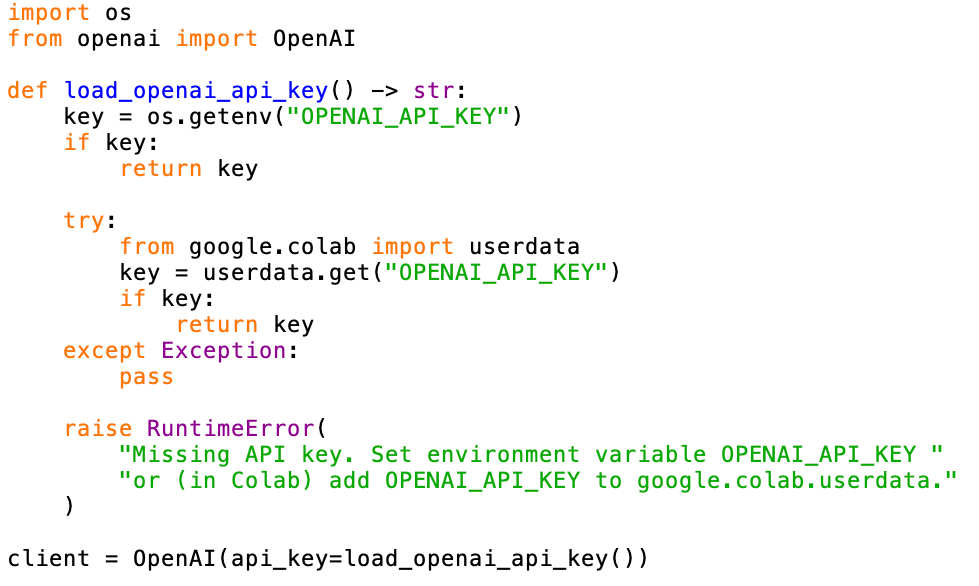
API keys can be obtained from the OpenAI platform. The code supports two methods for loading keys:
- Environment variable: Set
OPENAI_API_KEYin your shell or.envfile - Google Colab: Store the key in Colab's
userdatasecrets manager
The following helper function handles both cases:
Tool Definition
Tools are defined using JSON schema that tells the model what functions are available, what they do, and what parameters they accept. The schema includes:
- Type and name: Identifies the function
- Description: Explains what the function does (this helps the model decide when to use it)
- Parameters: Defines the input structure, including required fields and data types
Here's the weather lookup tool definition:
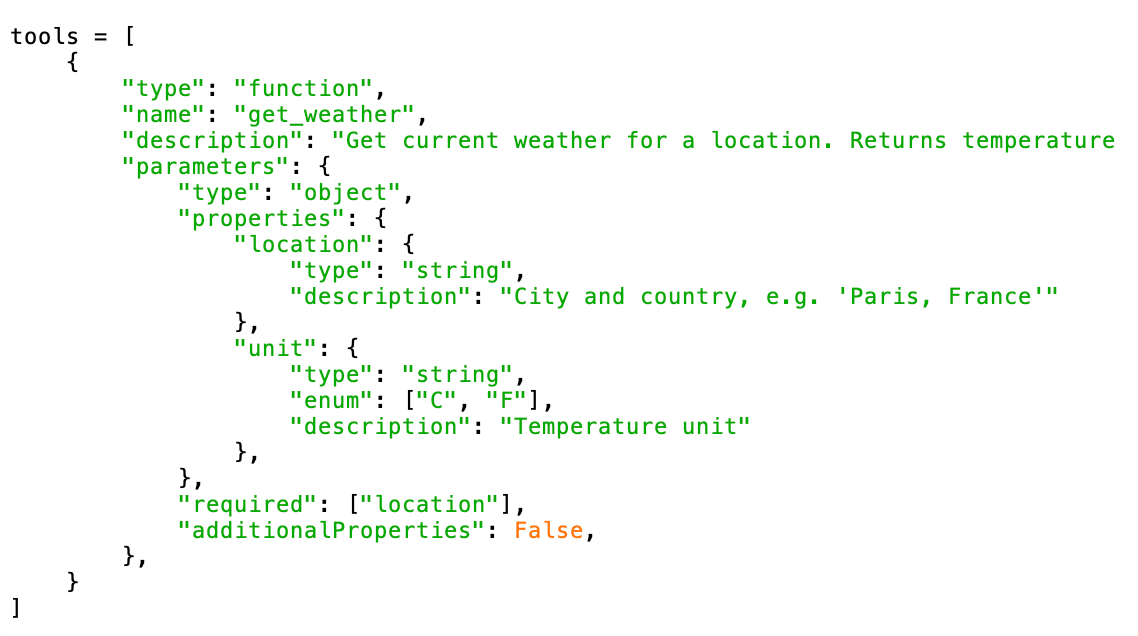
The schema includes an optional unit parameter with constrained values ("C" or "F"), demonstrating how to define both required and optional fields.
Tool Implementation
The actual function logic lives in your application, not in the API. When the model calls a tool, you run the corresponding function and return the result for the model. Here's a simple implementation using a fake weather database:
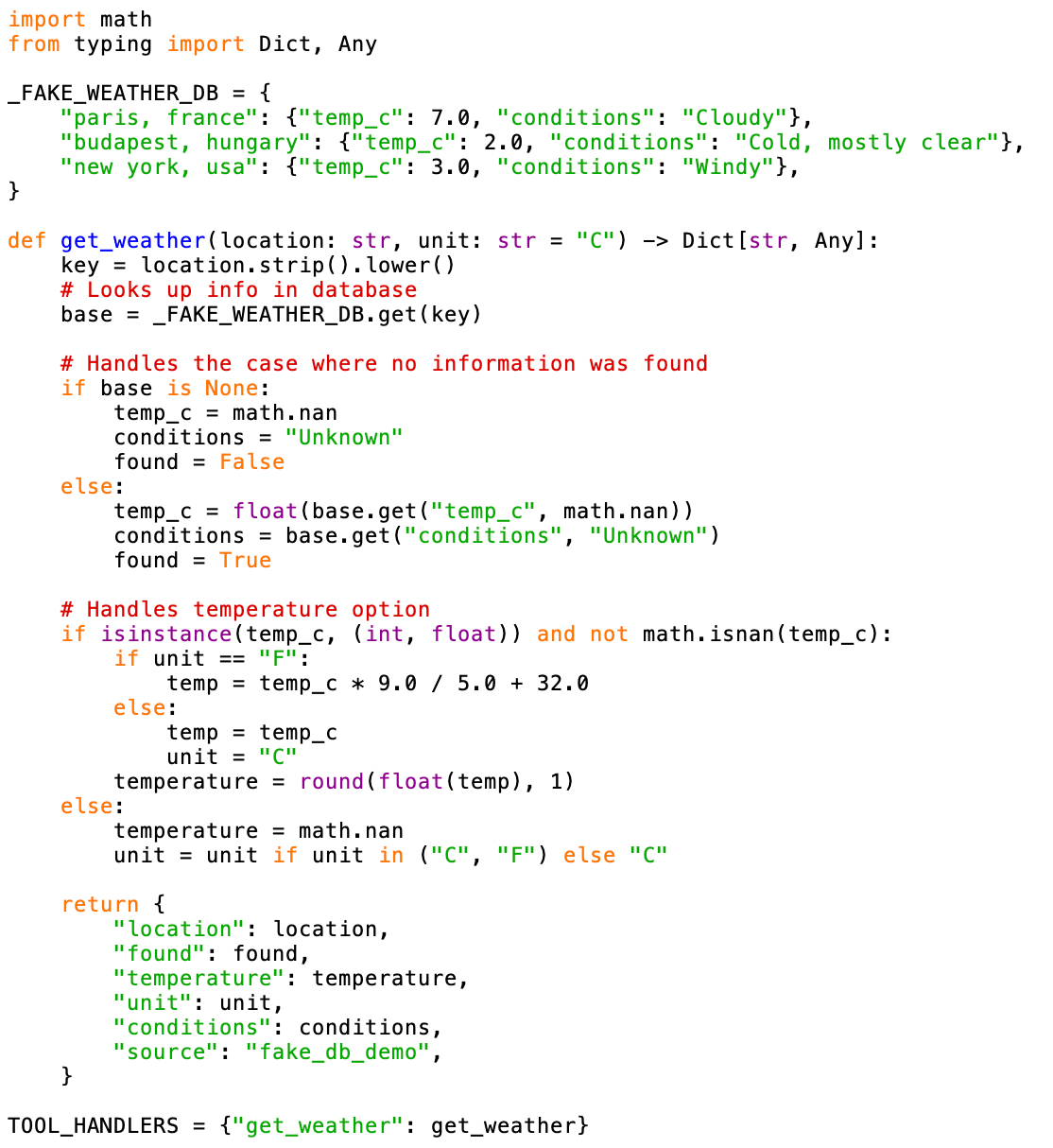
This implementation defines a fake database _FAKE_WEATHER_DB and then defines a Python function get_weather that looks up weather information in the dataset guided by location and unit inputs. The implementation handles edge cases properly: unknown cities return NaN for temperature and include a found: False flag, making it clear to the model that the data was unavailable.
Agent Loop
The core of tool use is the agent loop, which orchestrates the interaction between the model and your tools. The process works as follows:
- Send the user's prompt to the model with the tool definitions (so it can decide whether it wants to use them).
- Check if the model wants to call any tools (Setting
tool_choice="auto"lets the model decide whether to use tools. Alternatives include"required"or specifying a particular tool by name.) - If yes, execute the tool functions and send results back
- Repeat until the model produces a final text response (which happens when it outputs text without calling any tools).
Here's the complete implementation:
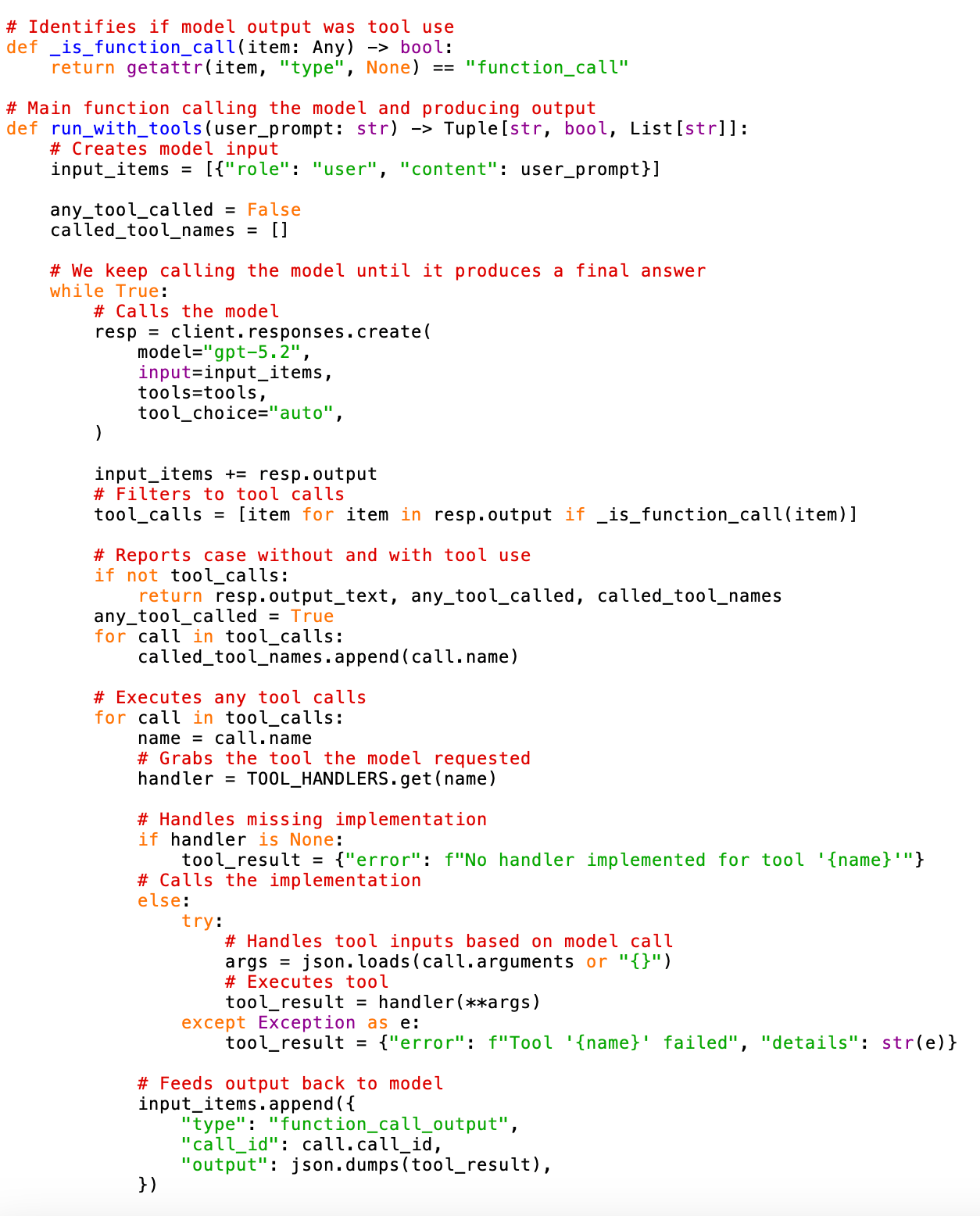
The function returns three values: the final answer text, whether any tools were called, and the list of tool names used. This makes it easy to log or debug the model's behavior.
Output
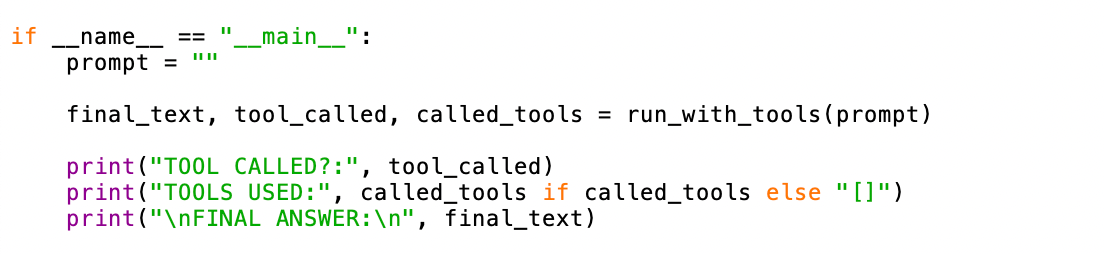
We tested the implementation with three scenarios to demonstrate the model's tool use decision-making. For calling the function, we used the following code snippet:
Test 1: Location in Database
Prompt: "What is the weather like in Paris?"
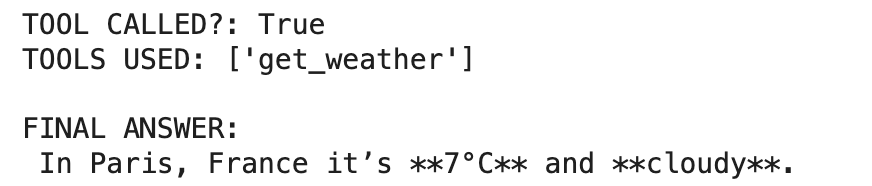
The model correctly identified that a weather lookup was needed, called the function with the appropriate location, and formatted the result naturally.
Test 2: Location Not in Database
Prompt: "What is the weather like in Berlin?"

The model still called the tool (appropriate behavior), but gracefully handled the NaN temperature and found: False flag.
Test 3: Non-Weather Question
Prompt: "What is the capital of Ireland?"
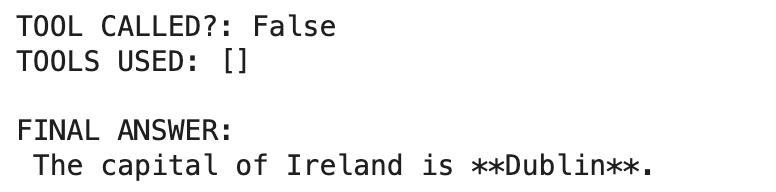
The model correctly determined that no tool was needed and answered directly from its training knowledge.
Recommendations
This implementation demonstrates a production-ready pattern for OpenAI tool use. The approach scales well: adding new tools only requires extending the tools list and the TOOL_HANDLERS dictionary.
The model's ability to decide when to use tools autonomously is remarkably reliable. As shown in the examples, it correctly distinguishes between queries requiring external data and those answerable from training knowledge. This makes tool-augmented models suitable for applications where the AI needs to act as an intelligent intermediary between users and backend systems.
The authors used GPT-5.2 [OpenAI (2025), GPT-5.2, Large language model (LLM), available at: https://openai.com] to generate the output.